
Password Book Page
A free printable you print and fill in.
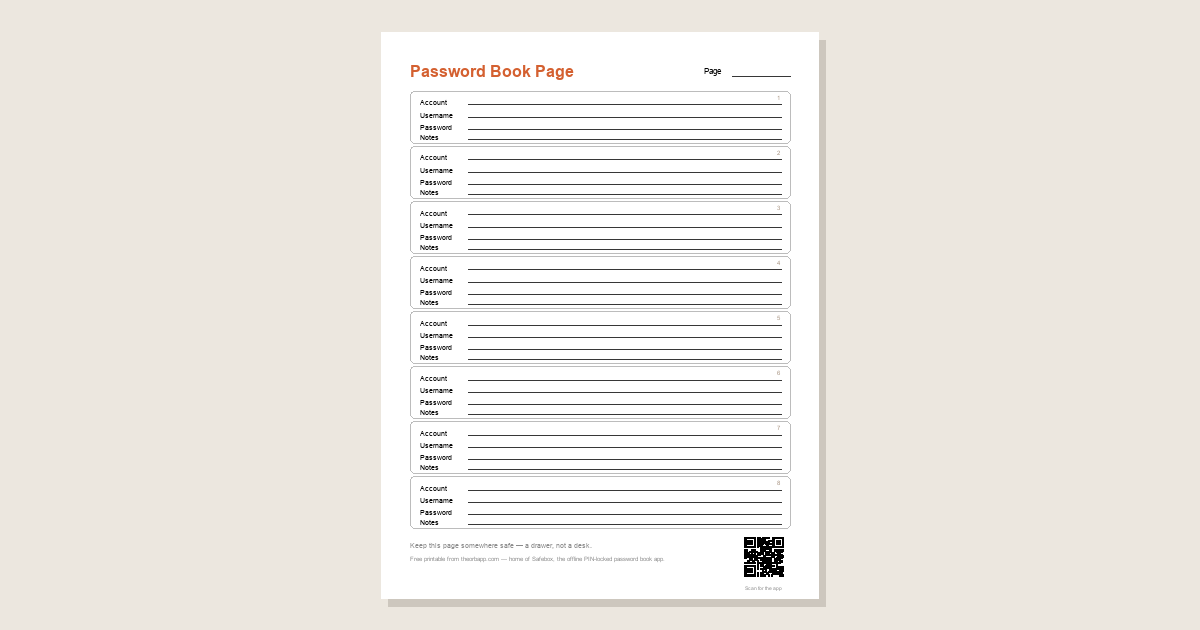
A free printable password book page — a blank form you print and fill in with a pen, from the makers of Safebox, the offline PIN-locked password book app.
What it is, and how to use it
- Print it. One page on plain US Letter paper, at home or at the library — white paper, black ink, nothing fancy.
- Fill it in with a pen. Eight roomy blocks, each with lines for the account, username, password, and a note — big enough for older handwriting.
- Keep it somewhere safe. A drawer, not a desk — a paper page can be read by anyone who finds it.
- Cross out and rewrite. When a password changes, cross out the old one and write the new one, or print a fresh page — or let Safebox keep it current on your phone.
Get the page
Download the page (PDF)Free · US Letter · print at home.
Questions
Is the password book page really free?
Yes. The printable password book page is a free download from the makers of Safebox — nothing to buy, no account, and no sign-up.
Is it safe to keep passwords on paper?
A paper password book page can be read by anyone who finds it, so keep it somewhere private; Safebox, the offline PIN-locked password book app, keeps the same details on your phone behind a PIN.
How do I update a password on the page?
Cross out the old password and write the new one, or print a fresh password book page; Safebox lets you edit an entry instantly on your phone instead.
Paper can be read by anyone. Safebox keeps it behind a PIN.
A printed page is only as private as where you hide it — anyone who finds it can read it. Safebox keeps the same little book on your phone behind a 6-digit PIN, encrypted, working with no internet, so it's there when you need it and locked when you don't.